Reference3 min read
Every keyboard shortcut in the player
The full list, from K, J and L to moving subtitles with Z and X.
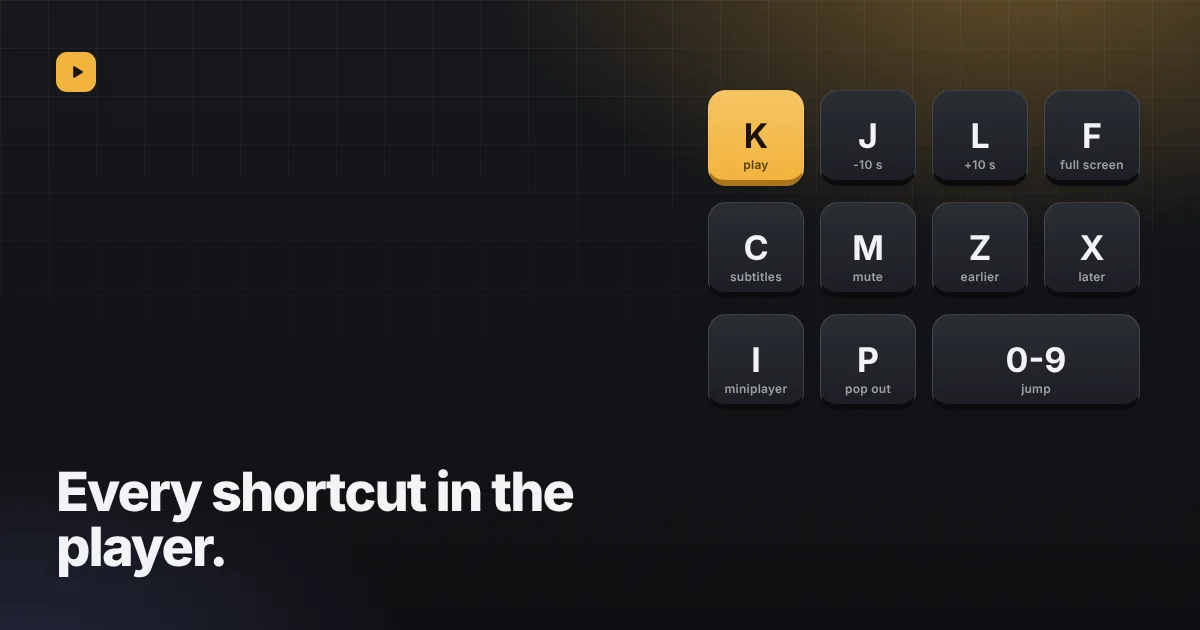
The player in Reelbox takes the keys most video sites use, plus a few of its own for subtitles. They work while the player is on screen and you are not typing in a field.
Playing
| Key | What it does |
|---|---|
| SpaceorK | Play or pause |
| Jor← | Back 10 seconds |
| Lor→ | Forward 10 seconds |
| 0 to 9 | Jump to that tenth of the video: 0 is the start, 5 the middle |
| S | Skip a stretch when the Skip button is showing |
Sound
| Key | What it does |
|---|---|
| ↑ | Volume up 10% |
| ↓ | Volume down 10% |
| M | Mute or unmute |
Subtitles
| Key | What it does |
|---|---|
| C | Turn subtitles on or off |
| + | Bigger subtitles |
| - | Smaller subtitles |
| Z | Show subtitles 0.1 seconds earlier |
| X | Show subtitles 0.1 seconds later |
Screen
| Key | What it does |
|---|---|
| F | Full screen, and back |
| I | Shrink to the miniplayer in the corner, or bring it back to the full page |
| P | Picture in picture: a small window above other apps |
On the timeline
Once the timeline has focus (click it, or reach it with Tab):
| Key | What it does |
|---|---|
| ←or↓ | Back 5 seconds |
| →or↑ | Forward 5 seconds |
| Page Down | Back 30 seconds |
| Page Up | Forward 30 seconds |
| Home | The start |
| End | The end |
In the miniplayer and picture in picture
While the video is in the corner, the rest of the page is yours again, so only K, M and I reach the player; the arrows and Space scroll the page as usual. In the picture in picture window, Space or K plays and pauses, and J and L or the arrows skip 10 seconds.