Which video files play
Almost all of them. Reelbox has two ways to decode a video: the browser’s own, and a decoder it brings along for everything the browser refuses. It picks for you, and you can switch.
Containers
- MKV
- MP4
- WebM
- AVI
- MPEG-TS
Video
- H.264
- HEVC (H.265)
- VP9
- AV1
Sound
- AAC
- Opus
- AC-3
- E-AC-3
- DTS
- TrueHD
Subtitles in the file
- SRT
- ASS
- SSA
- WebVTT
- MP4 text
The two decoders side by side
| What | Built-in decoder (default) | Browser decoder |
|---|---|---|
| Containers | MKV, MP4, WebM, AVI, MPEG-TS | MP4, WebM |
| Video | H.264, HEVC (H.265), VP9, AV1 | H.264, VP9, AV1 |
| Sound | AAC, AC-3, E-AC-3, DTS, TrueHD, Opus | AAC, Opus |
| Audio tracks | Every track, switchable | Only where the browser lists them (Safari) |
| Subtitles in the file | SRT, ASS/SSA, WebVTT, MP4 text | Not read from the file |
| Extra download | About 1 MB of script and 2.3 MB of WebAssembly, once | None |
| Battery | Heavier, most of all when it decodes in software | Lightest |
Files you are likely to have
| File | Plays in Reelbox | Plays in a plain browser tab |
|---|---|---|
| MP4 with H.264 video and AAC sound (most phone videos) | Yes | Yes |
| MKV with HEVC video and AC-3 or E-AC-3 sound | Yes, with every audio and subtitle track | No |
| MKV with H.264 video, DTS sound and two audio languages | Yes, switch language in the Audio menu | No |
| MKV with TrueHD sound | Yes | No |
| WebM with VP9 or AV1 video and Opus sound | Yes | Yes |
| MPEG-TS with H.264 video (a recorded stream) | Yes | No |
Subtitles, inside the file or found online
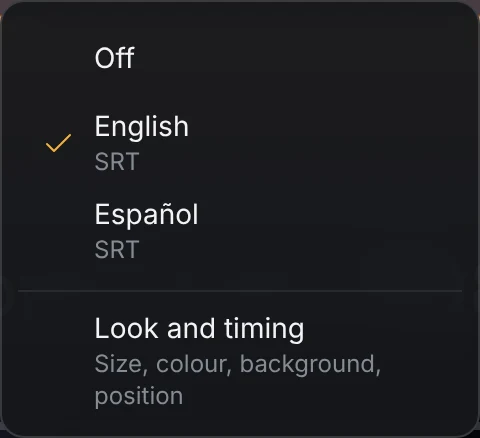
Text tracks inside the file (SRT, ASS/SSA, WebVTT and MP4 text) appear in the Subtitles menu and are drawn by Reelbox, in the size and colour you set. Tracks stored as pictures (PGS and VobSub) are listed but not drawn yet.
Files without subtitles can get them from OpenSubtitles, and from SubDL if you add a key. How subtitles work in the player.
What your browser needs
A current version of Chrome, Edge, Firefox or Safari, on a computer or a phone. The built-in decoder uses the graphics chip to decode the picture when the browser allows it, and decodes in software when it does not.
If the built-in decoder cannot load, Reelbox switches to the browser decoder for files the browser can play. You can also pick either one yourself in the player’s settings.
The floating picture in picture window, with subtitles and its own buttons, needs Chrome or Edge 116 or newer. Other browsers use their own picture in picture.
Your videos are already in Telegram. Press play.
Sign in by scanning a QR code or with your phone number. Reelbox is free, has no ads and keeps nothing on a server.